


Last semester I had a problem that felt impossible: a 100-page thesis in Portuguese that I needed to read, annotate, and quote for my literature review. The submission deadline was tight and I had no time to hire a translator. I’d tried copy-paste methods before — they always broke formatting and shredded tables. This time I decided to test a different route and used an online AI PDF Translator. I’m writing this case study so you can see step-by-step how it actually worked in a real deadline situation.
Early on I opened the AI PDF Translator page and uploaded the thesis. No account, no signup. The interface asked me to choose the target language, and that was it. The whole upload-to-translation flow took under a minute for the first few pages, and the full document followed quickly.
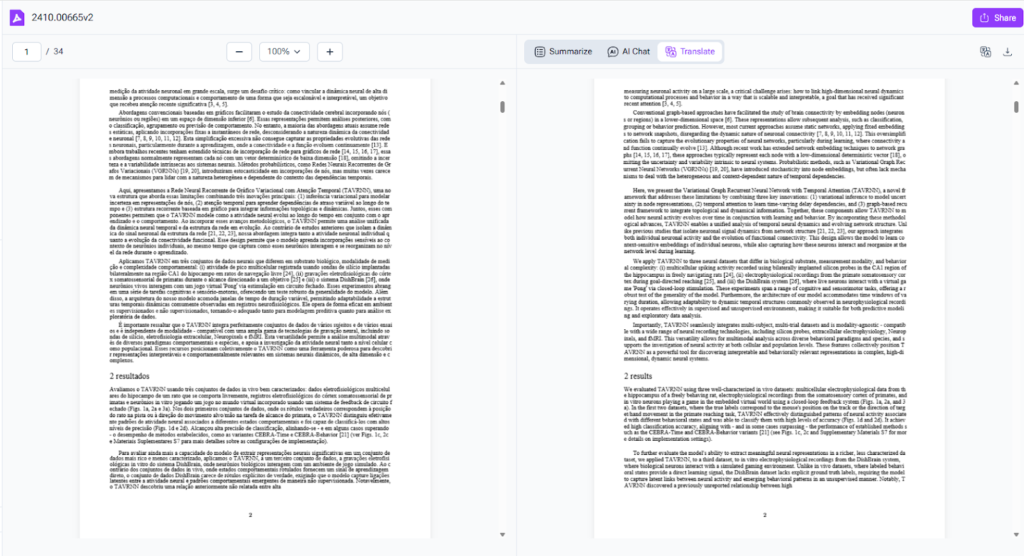
(AI PDF Translator)
The setup: why I chose this tool
I needed three things from a translation tool for academic work: accuracy for technical phrases, preserved formatting for citations and tables, and speed. This thesis had dozens of tables, complex headings, and inline equations. Manual copy-paste would have required a complete reformat and a lot of proofreading.
That’s why I picked the AI PDF Translator. Two things sold me: it promised to preserve the original layout, and it specifically targeted PDF files rather than plain text blocks. I didn’t want to wrestle with paragraph breaks or footnote mismatches.
(If you want to try it, search for the AI PDF Translator page — it’s the quick path to upload and go.)
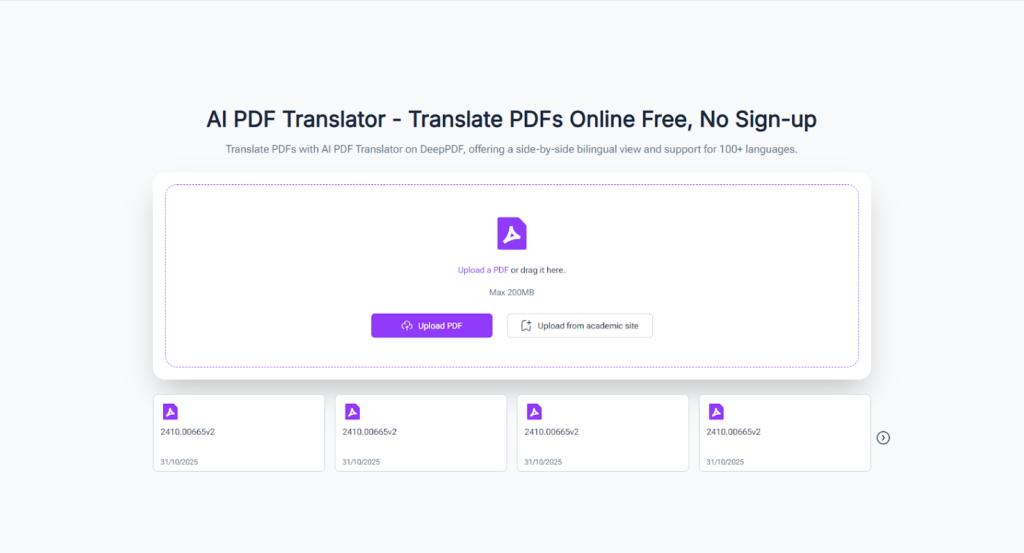
(DeepPDF’s AI PDF Translator)
The process: step-by-step
- I uploaded the thesis PDF using drag-and-drop.
- I selected Portuguese → English as the language pair.
- I clicked Translate and let the tool process the file.
- I downloaded the translated PDF and skimmed it for obvious errors.
- I imported the translated file into my reference manager and highlighted key passages.
The translated output kept the same page breaks, tables, and figure captions. Equations stayed as images with nearby captions translated. Footnotes and references remained aligned with the text. I did a quick pass to check a handful of technical terms, but overall the translation read naturally.
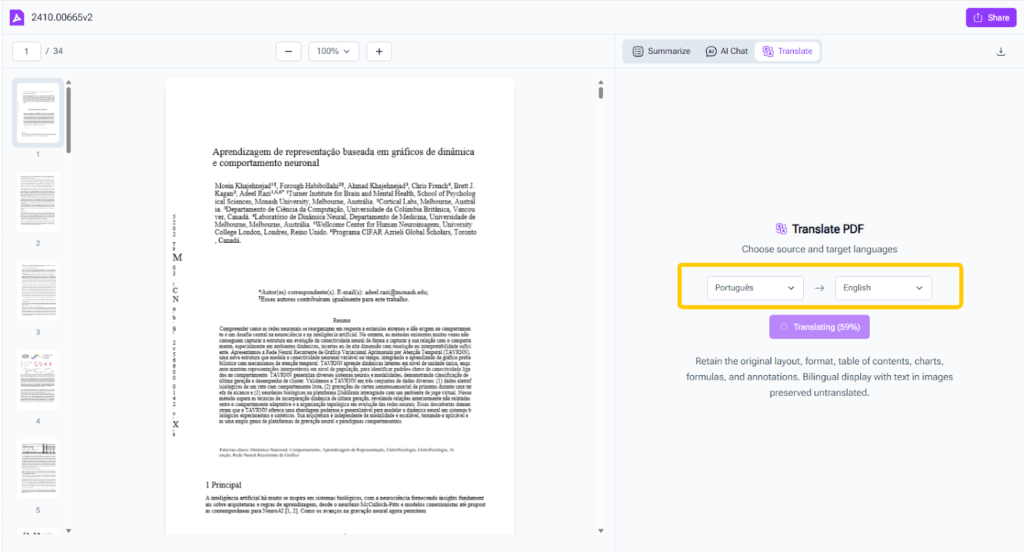
(The process: step-by-step)
Time saved and quality delivered
From uploading to downloaded translation, the whole thing took less than ten minutes. Proofreading the result took another hour, mostly checking domain-specific terms and a few proper names. Compare that to a day — or days — of manual translation. The timeline made a huge difference for my deadline.
Quality wasn’t perfect in every scientific term, but it was solid enough to understand arguments, quote passages, and extract data from tables. For the handful of tricky terms, I cross-checked with original language glossaries and corrected the instances where the translation leaned literal.
How I used the translated thesis
After translation, I used the document directly for three tasks:
- Extracting quotes for my literature review.
- Recreating and checking data from tables.
- Summarizing each chapter in my notes.
To make summarizing easier, I ran sections through a separate PDF summarizer (I often use a PDF Translator tool to generate quick outlines). That step helped me turn the translated text into concise notes I could plug into my review.
Lessons learned and tips
If you try this for a thesis or long academic file, here are a few practical tips I picked up:
- Prefer text-based PDFs. If your file is scanned, run OCR first.
- Check tables and equations early — they’re usually where small issues show up.
- Keep a short glossary of domain terms to check against the translation.
- Download both the translated PDF and a plain text export when possible — makes quoting and reference extraction simpler.
- Use a secondary tool to summarize sections once they’re translated.
Conclusion
Translating a 100-page thesis in minutes felt like a small miracle. The AI PDF Translator didn’t replace careful scholarship, but it removed the language barrier fast enough that I could focus on analysis and writing. In a crunch, it’s a practical, reliable fix.
If you work with international literature often, this tool will change the way you approach sources. Try translating one paper and see how it fits into your workflow — for me, it turned a project that looked like a blocker into something manageable.